
Overview
Intelligent Edge Kilo (Kilo) is equipped with a USB Type-C terminal.
In addition to connecting to a PC for configuration, it operates as a CDC client (virtual COM port).
When using it, disable the OS console function (normally OFF by default) and control sending and receiving from software.
⚠️
- Kilo cannot act as a USB host. It is recognized by the PC as a virtual COM port.
Wiring and Connection
Connect a host device such as a PC to the USB Type-C terminal on the side of Kilo.
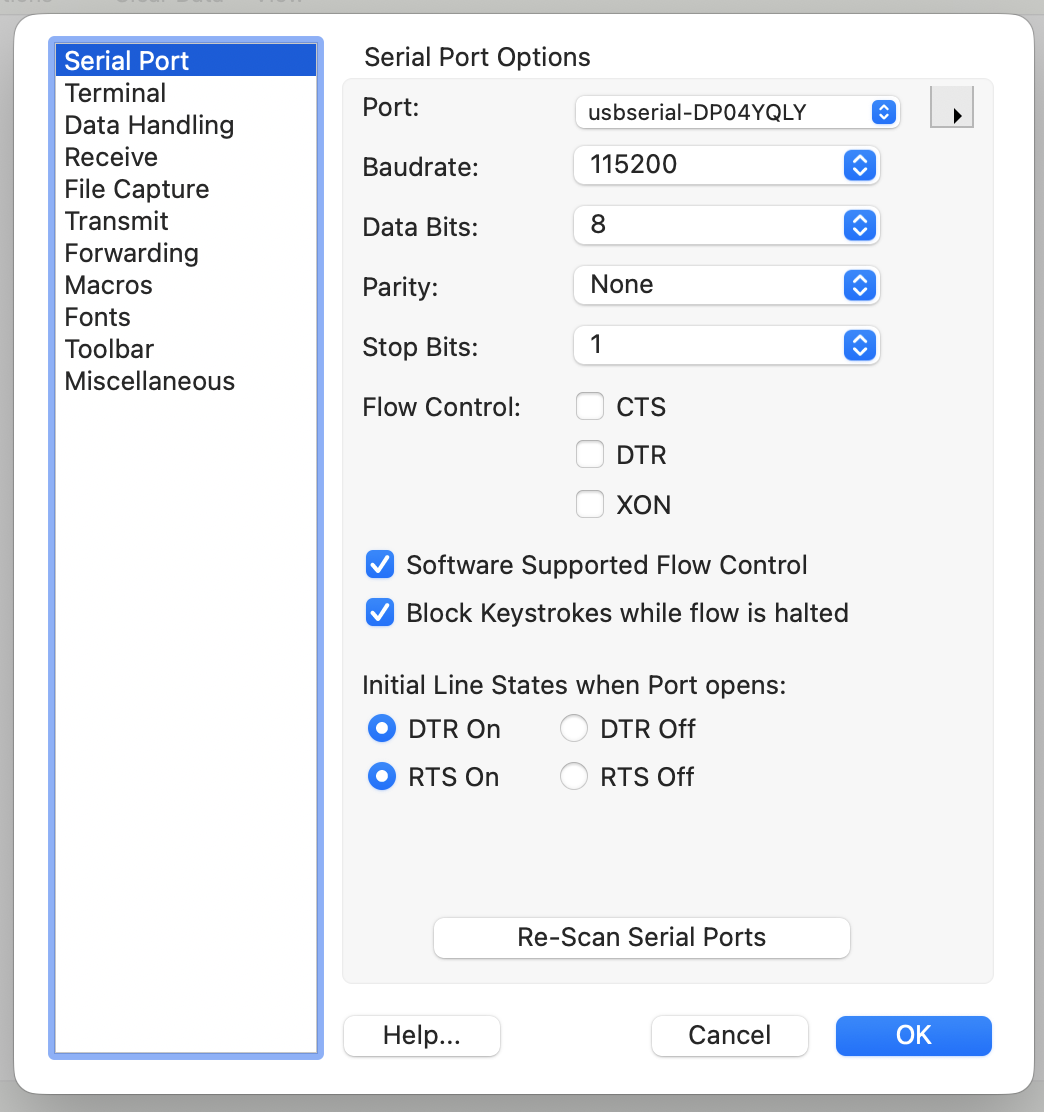
The figure below is an example of a serial terminal's port configuration screen (Port / 115200 / 8-N-1 / no Flow Control, etc.).
It shows typical setting values, but the actual port name differs depending on the obniz device.
⚫︎ About Power
❗
Kilo supports power supply from USB. It can be powered while communicating at the same time. However, this is intended for temporary use such as during configuration, and is not recommended for long-term operation.
⚫︎ Recognition by the PC
When connected, the PC recognizes it as a USB serial (virtual COM port).
The standard settings (example) when used with the OS console function are as follows. When controlling from software, change them as needed.
| Item | Setting Value (example) |
|---|---|
| Baud rate | 115200 bps |
| Data bits | 8 bit |
| Parity | None |
| Stop bits | 1 bit |
Operation and Control
| Timing | Communication State |
|---|---|
| Immediately after startup | Communication does not start. |
| CDC function enabled by software | Communication is enabled, and sending and receiving are possible. |
⚫︎ Limitations Regarding OS Rewriting
⚠️
- Rewriting the OS or directly operating the flash memory via USB is not possible.
- No function is provided to directly access the internal microprocessor from the USB terminal.
- Firmware updates and OS rewriting should be performed from obniz Cloud. In the case of obniz Now, the method differs depending on the plan, so please contact us for more detailed information.