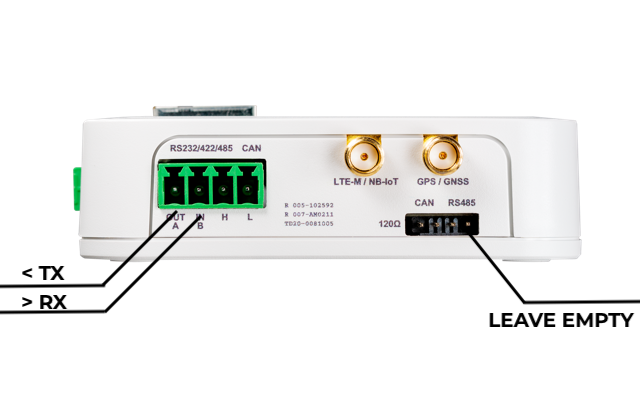
Intelligent Edge Kilo (Kilo) has a built-in RS232 transceiver, enabling 12V communication rather than TTL. By wiring a DSUB9-pin connector, you can communicate directly.
Wiring Method
Connect TX and RX to the "RS232/422/485" terminal on the side of Kilo.
The side labeled OUT is Kilo's TX (Kilo's output side), and the side labeled IN is Kilo's RX (the side Kilo takes input on).
About GND
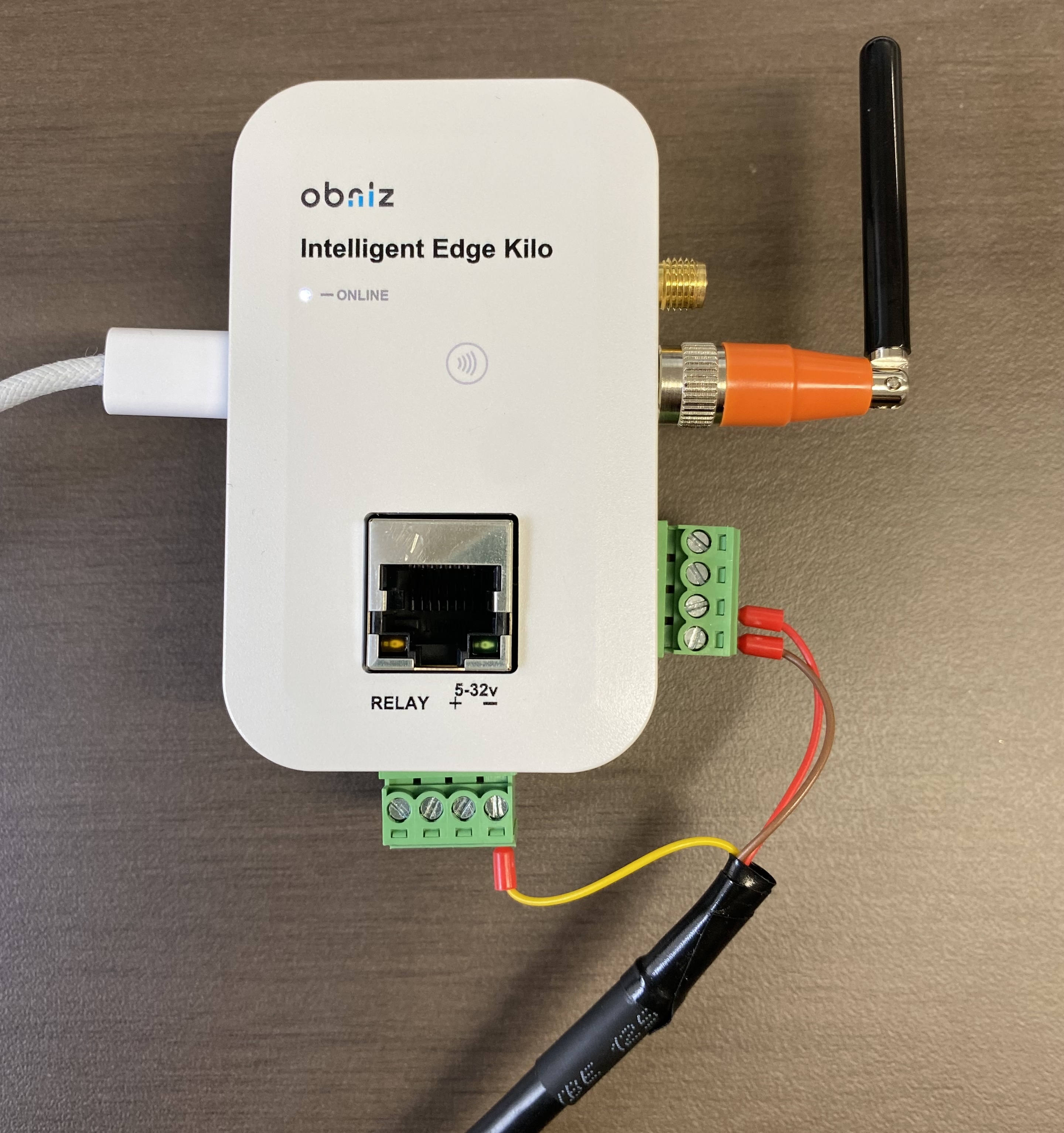
There is no GND terminal for RS232 on the side panel. If the GND level of Kilo's power supply differs from that of the connected device, connect either the "-" side of Kilo's power section or the GND of the Qwiic terminal to the other device's GND.
Termination Resistor
On Kilo, the RS232/422/485 terminals are shared. If a pin for enabling the RS485 termination resistor is attached, TX and RX will be connected through 120 ohms, so please remove it.
DSUB9-Pin Connection Example
As a wiring example, suppose you connect the following product:
https://www.amazon.co.jp/dp/B0D9NVQKGB
The pin layout is as follows.
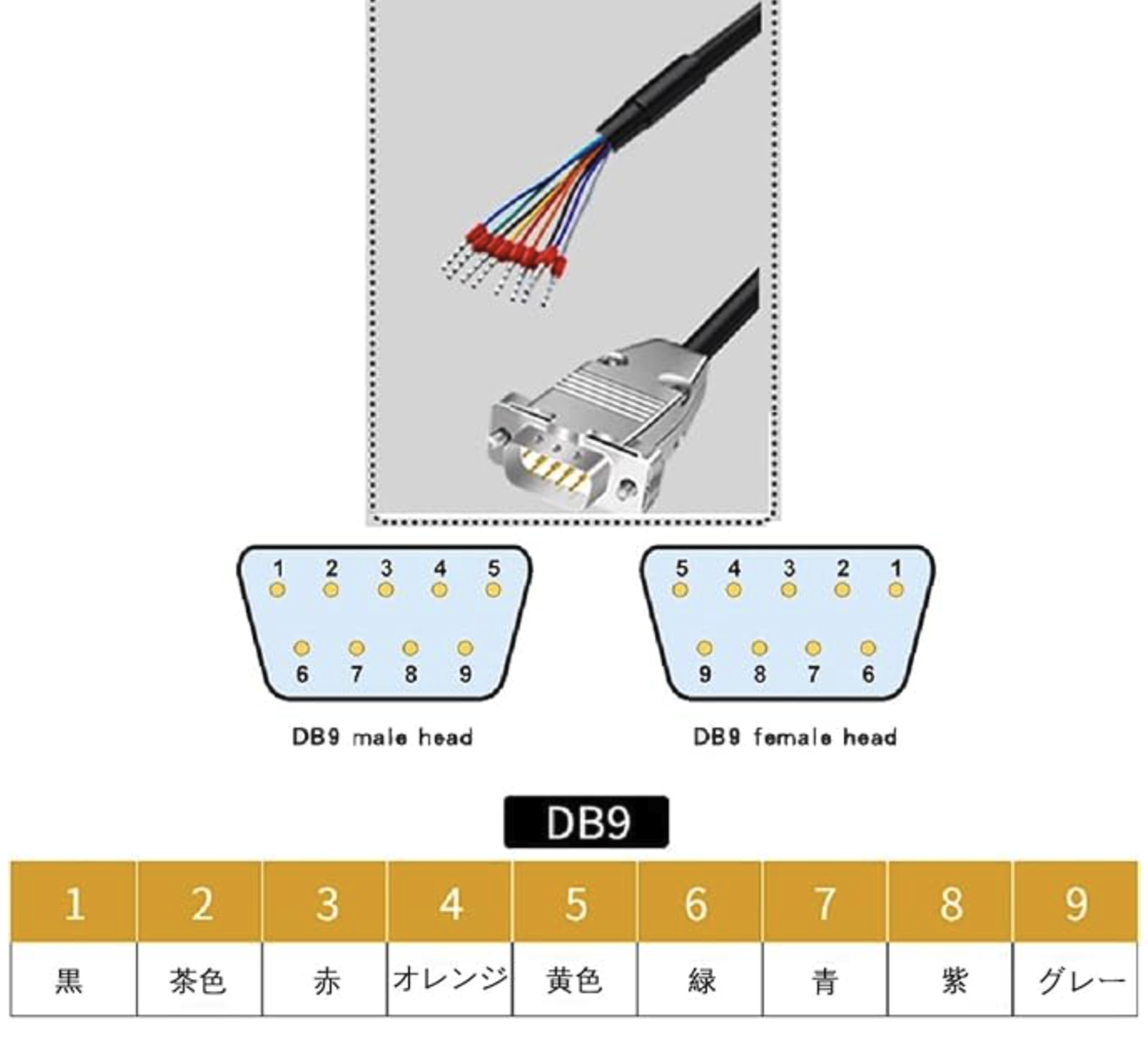
In this case, for a female head:
- OUT: brown
- IN: red
The photo below is an example of wiring that also includes GND (yellow).
Conversely, for a male head, it is reversed:
- OUT: red
- IN: brown
About Startup
The RS232/422/485 terminal is not enabled during the startup phase and is in a Hi-Z state. No voltage is output from the TX side at the moment of power-on. Only when RS232 is enabled by software does the terminal become ready for input and output, and High is output from TX.
It is also equipped with an automatic power-saving feature. When enabled, output may not be applied unless voltage from the other device is detected. This kind of control depends on the software.