
The obniz device you purchased can be registered to your account using a QR code.
Registering with the Camera
The product itself, or the QR code that comes with it, contains a single-use registration token. You can register the device to obniz Now by capturing this token with a camera.
From Devices > Register Device in the sidebar, start the camera, capture the QR code on the product or its accessory, and register the device.
Pressing the Scan QR button makes the browser start the camera. Use the camera on your computer or smartphone. If you are asked to grant access, please allow it.
If you cannot capture it properly, follow the on-screen help If Scanning Fails.
Detected obniz devices are shown in the list.

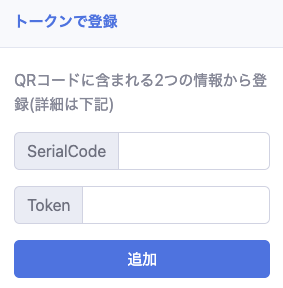
Registering with a Token
To enter a token manually, specify SerialCode and Token, then Add.
Naming and Registering Detected obniz Devices
Once your obniz device is detected, enter a name and press Bulk Register Machines to register it to your account.