
You can use the group feature to organize devices by the site where they are installed, so that users at each site can view them.
When you open Devices > Groups in the sidebar, a list of registered groups is displayed.
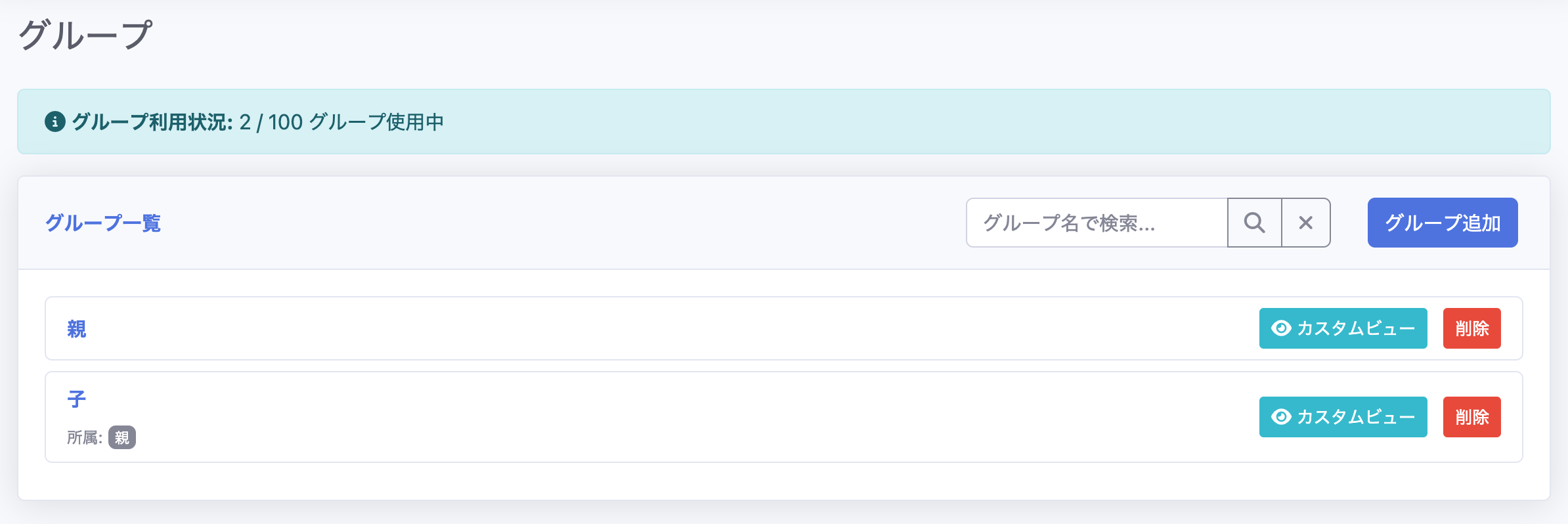
Creating a Group
From the Add Group screen, you can create a group by specifying a name.

Editing a Group
By clicking a group name, you can open the group editing screen.
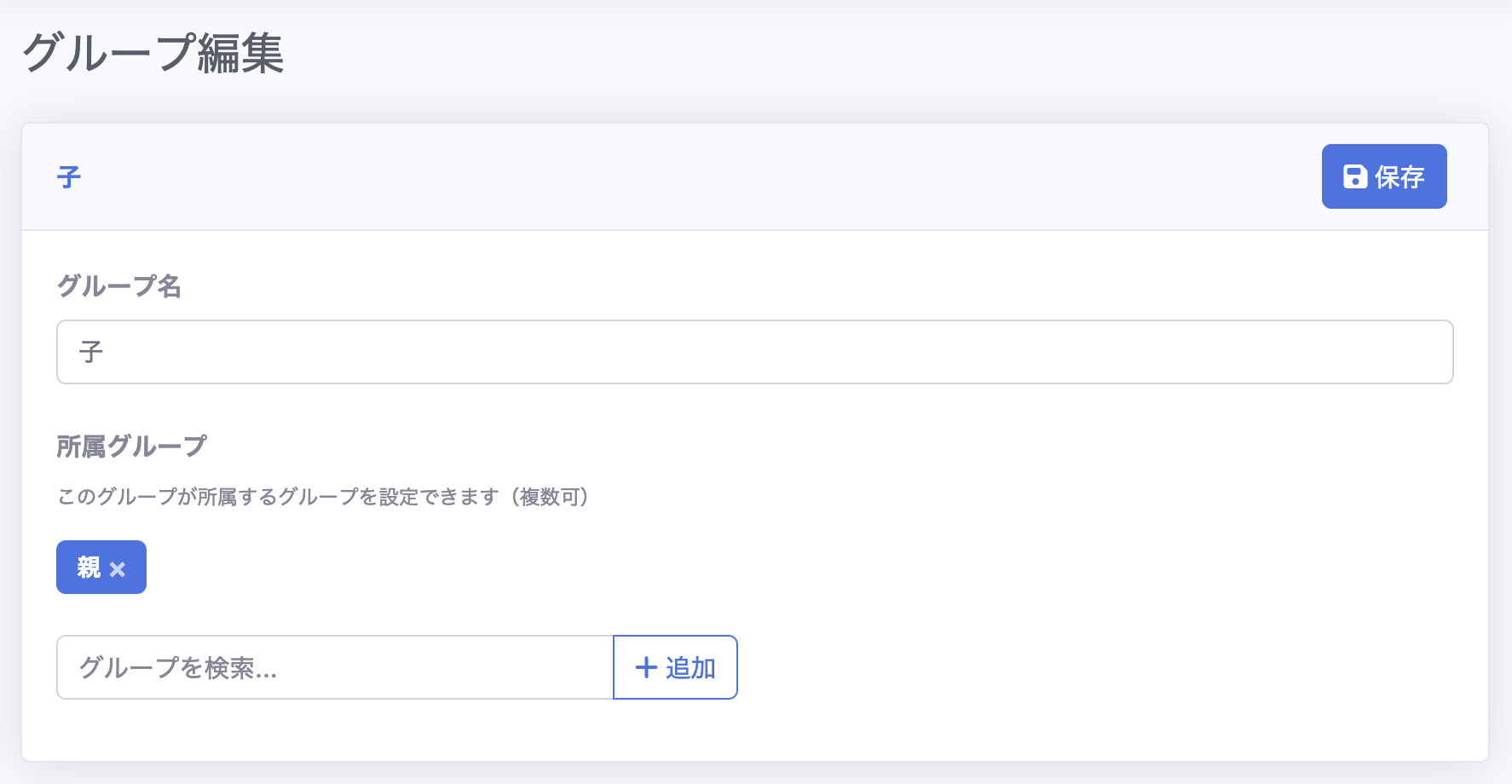
On the editing screen, in addition to changing the group name, you can search for and register a group to belong to. In the image above, a parent group is being added to a child group.