
Overview
The Intelligent Edge Micro (Micro) is equipped with a USB Type-C port.
In addition to being usable for configuration when connected to a PC, it operates as a CDC client (virtual COM port).
When using it, disable the OS console function (it is normally OFF by default) and control transmission and reception from software.
⚠️
- The Micro cannot act as a USB host. From the PC side, it is recognized as a virtual COM port.
Wiring and Connection
Connect a host device such as a PC to the USB Type-C port on the side of the Micro.
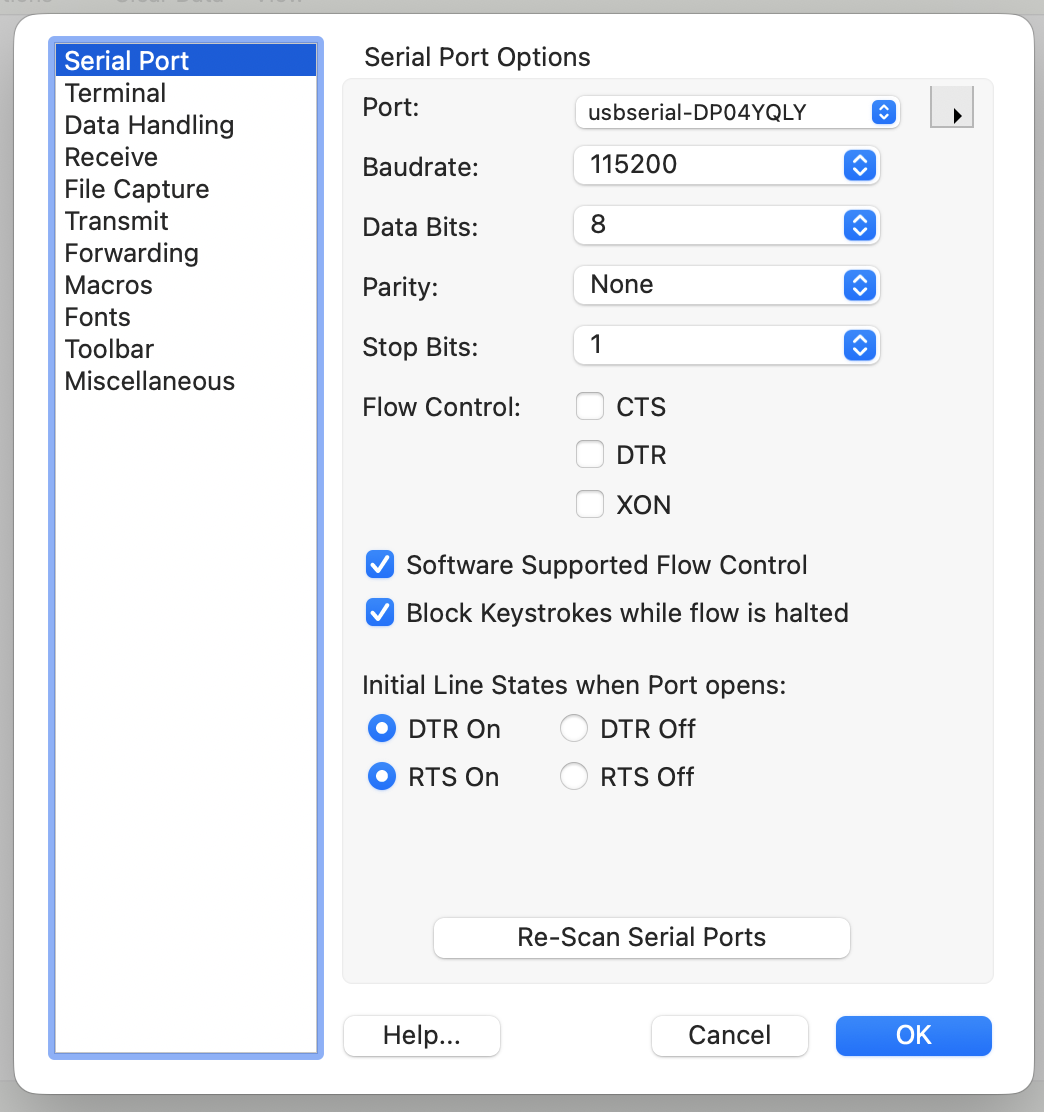
The figure below is an example of a serial terminal port settings screen (Port / 115200 / 8-N-1 / no Flow Control, etc.).
It shows typical setting values, but the actual Port name varies depending on the obniz device.
⚫︎ About Power
❗
The Micro supports power supply from USB. It can be powered while communicating at the same time.
⚫︎ Recognition by the PC
When connected, the PC recognizes it as a USB serial (virtual COM port).
The standard settings (example) when used with the OS console function are as follows. When controlling from software, change them as needed.
| Item | Setting Value (example) |
|---|---|
| Communication speed (baud rate) | 115200 bps |
| Data bits | 8 bit |
| Parity | None |
| Stop bits | 1 bit |
Operation and Control
| Timing | Communication State |
|---|---|
| Immediately after startup | Communication does not start. |
| After enabling the CDC function from software | Communication is enabled, and transmission and reception are possible. |
⚫︎ Restrictions on OS Rewriting
⚠️
- OS rewriting and direct operation of the flash memory over USB are not possible.
- No function is provided for directly accessing the internal microprocessor from the USB port.
- Perform firmware updates and OS rewriting from obniz Cloud. In the case of obniz Now, the method varies depending on the plan, so please contact us for more detailed information.